
Appearance
The plan and locking it in
The itinerary is Nova's living draft of the plan. Anyone can read it; the crew signs off with Ready up; the organizer makes it final with Lock the plan in.
Opening the itinerary
From the chat: expand the plan status banner and tap ✦ Review the plan draft → (on wide screens it's ✦ Review plan → in the toolbar). Organizers also have ✦ Open the draft itinerary in the add-widget menu.
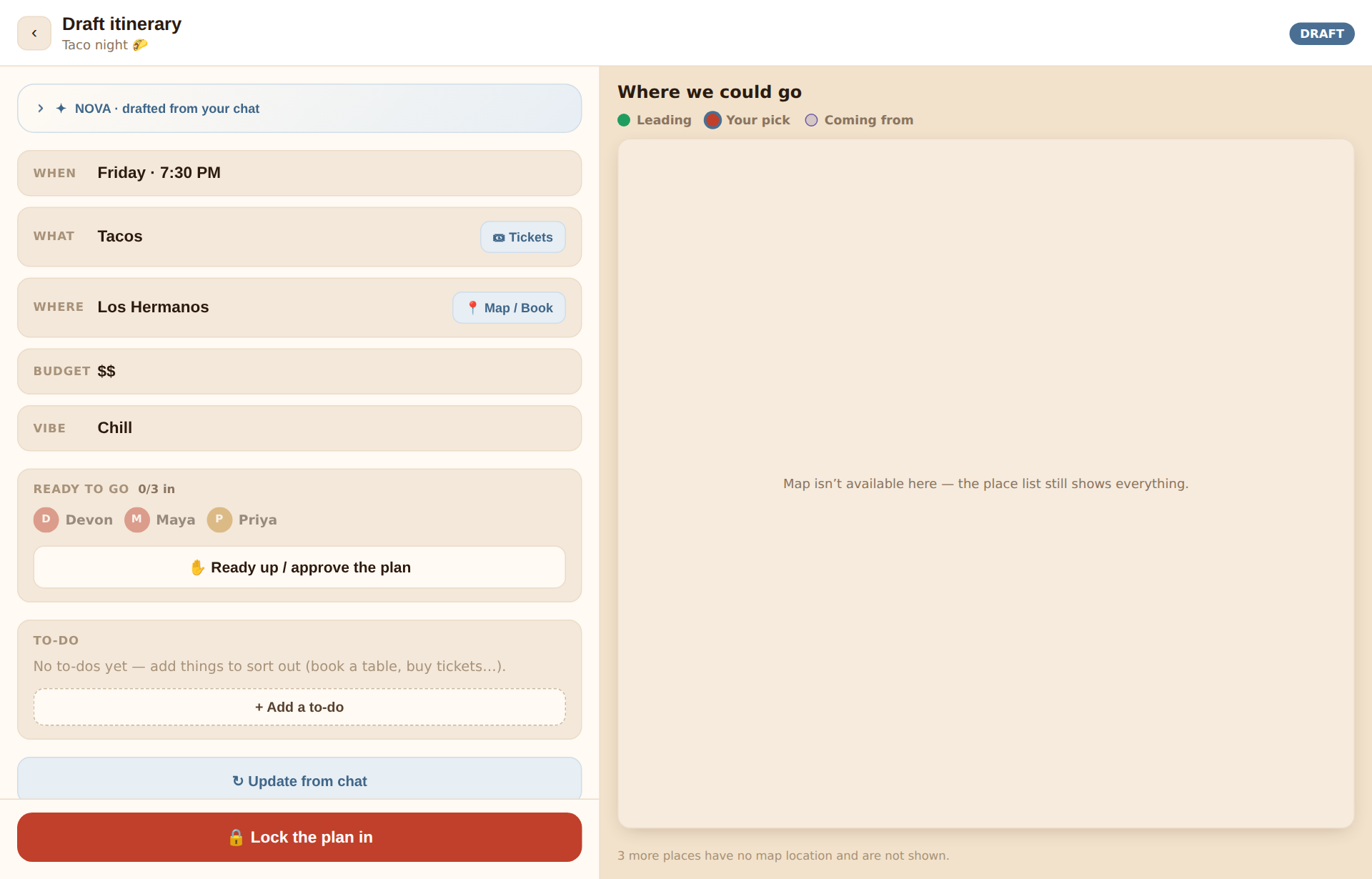
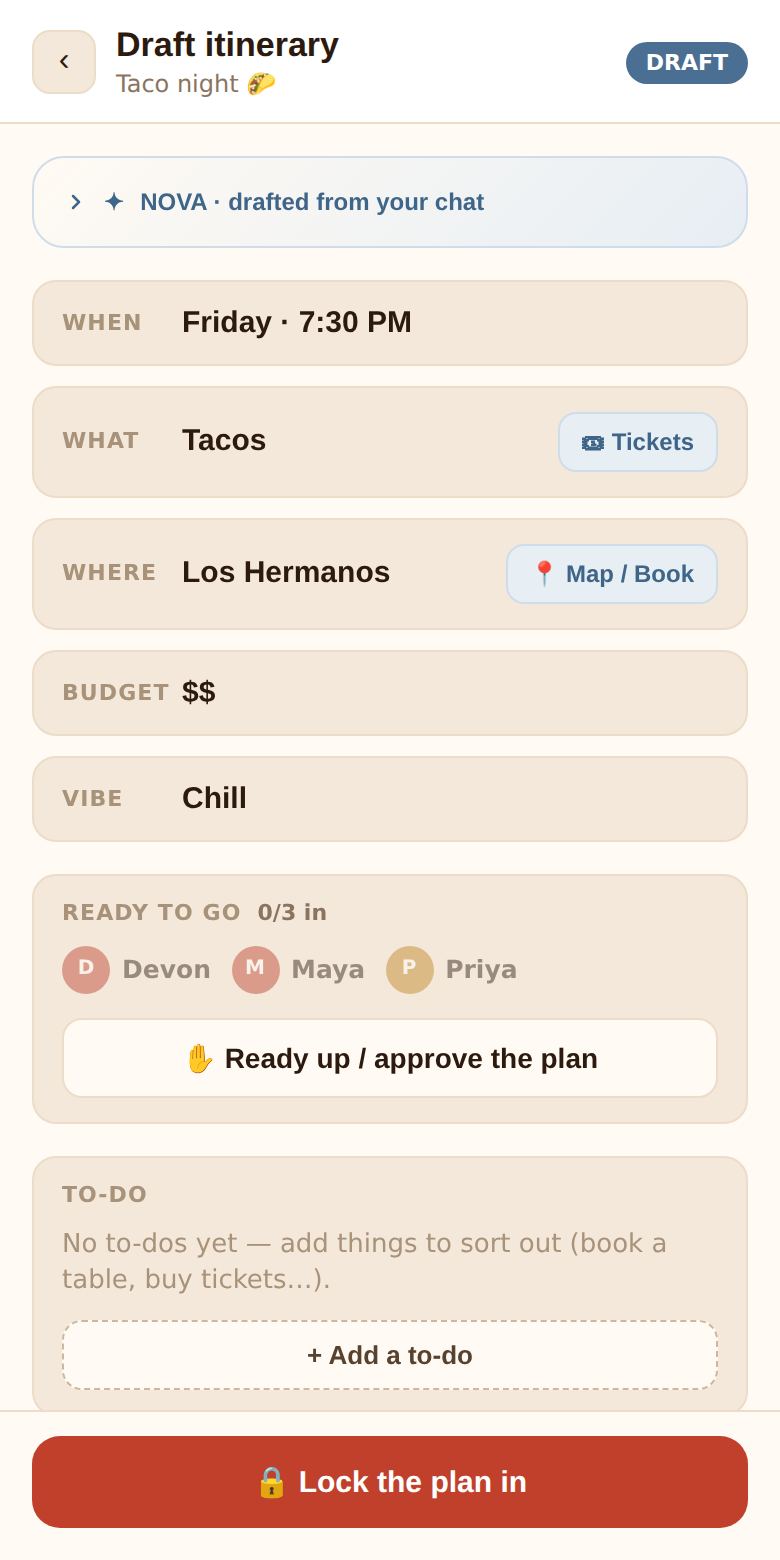
The header reads Draft itinerary with a DRAFT pill while planning, and Final itinerary with a green CONFIRMED pill after locking.
What's on it
Nova's reasoning — a collapsed card at the top, ✦ Nova · drafted from your chat (or updating the plan… while it's working). Expand it for a short summary of where things stand and one line per decision: the value, the reason, and the field it applies to — Saturday — everyone except Priya is free · DATE. Before anything's been drafted it says so plainly and tells you to keep chatting.
The plan itself, one row per settled item:
| Row | Shows | Link |
|---|---|---|
| When | The date (and time, once known) | — |
| What | The activity or activities | 🎟 Tickets — searches for events and tickets for the activity |
| Where | The venue | 📍 Map / Book — opens the exact place on Google Maps when it came from a venue vote, otherwise a map search |
| Budget | The price tier the crew discussed | — |
| Vibe | The winning vibe | — |
Rows that aren't decided yet simply don't appear. If nothing is settled: Nothing pinned down yet — the plan fills in as the chat decides things.
On wide screens the map pane sits beside the itinerary with every suggested place and the vote standings.
Ready to go
The Ready to go card shows every member with a count — 3/5 in — and one button for you: ✋ Ready up / approve the plan → ✓ You're in — tap to undo. People who've readied up are marked with a ✓; the card turns green with everyone's ready ✓ when the whole crew is in.
This is the crew's sign-off. It's the same signal as the Ready up button in the chat banner and the Ready-up widget, and it's independent of Nova's READY status pill.
To-do list
The To-do card is the organizer's checklist for the plan — book a table, buy tickets, bring the speaker. It's the one part of the plan a person edits by hand.
- Organizer: + Add a to-do opens a field (press Enter to add several in a row), tick items to mark them done, ✕ to remove one. Editing is available until the plan is locked.
- Everyone else: sees the list read-only, with the 2/5 done count.
Everything else on the plan is written by Nova from the conversation. If the date or venue is wrong, fix it the natural way: say so in the chat, or vote — then tap ↻ Update from chat.
Updating the plan on demand
Nova refreshes the plan on its own (see How quickly it updates). The organizer can skip the wait with ↻ Update from chat on the itinerary or ↻ Update plan in the chat banner. It re-reads the whole conversation right away.
Locking the plan in
When the plan looks right, the organizer taps 🔒 Lock the plan in at the bottom of the itinerary. Only the organizer can lock, and there's no requirement that everyone has readied up first — that's a judgement call.
What locking does:
- The hangout's status becomes Confirmed (the pill on the home screen turns green).
- Every other member gets a push notification — 🎉 The plan is locked in! Dinner · Ippin Ramen · Sat · Jun 21 — that opens the confirmed plan. The organizer, who tapped the button, doesn't.
- A green 🎉 The plan is locked in! card appears in the chat with the plan recap.
- Nova stops editing the plan. The chat stays open for day-of coordination, but the itinerary is frozen.
- The Ready up button, to-do editing, ↻ Update and the lock button disappear from the itinerary.
Locking can't be undone from the app.
The confirmed screen
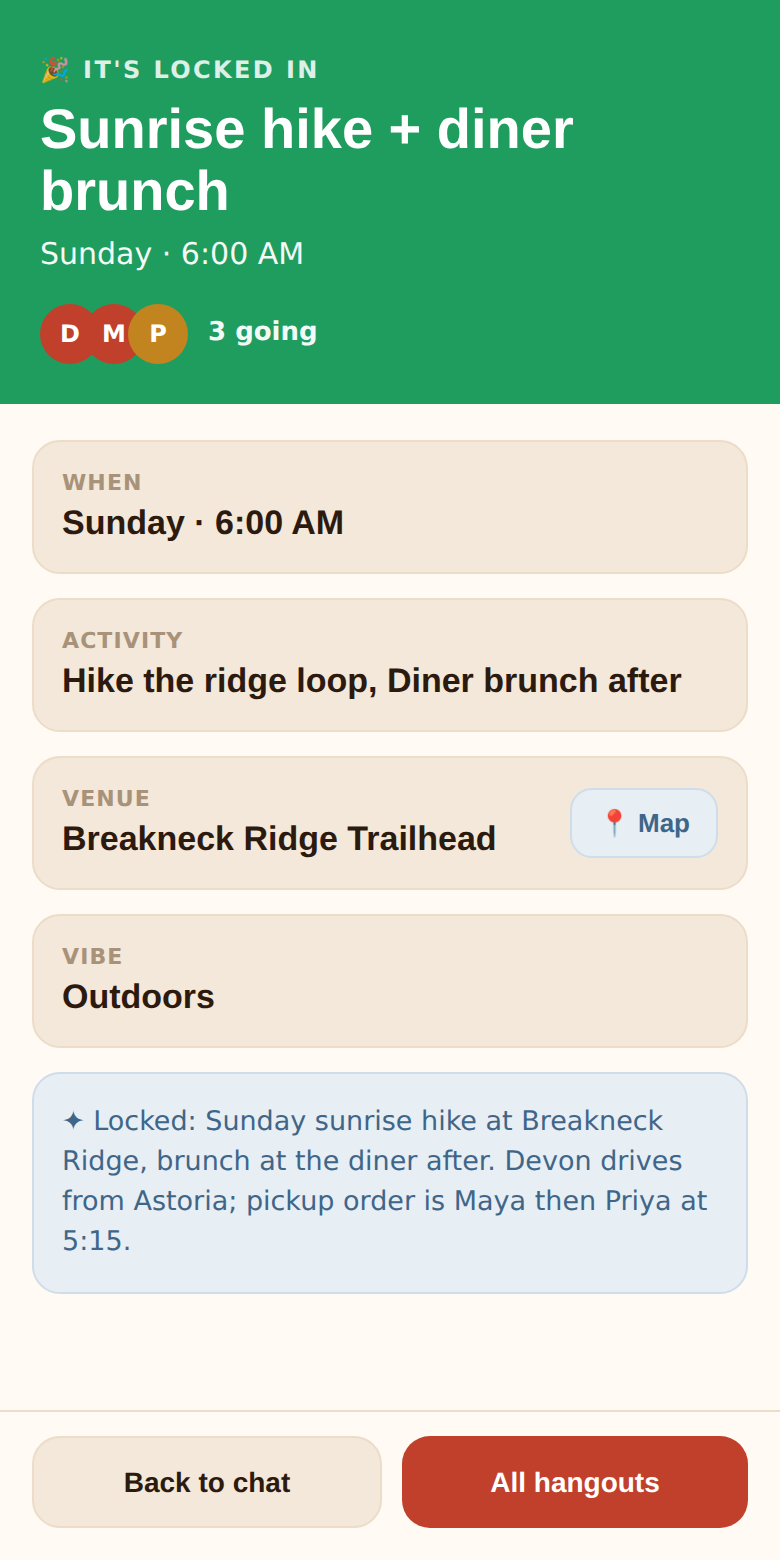
After locking, opening the hangout from the home screen lands on its confirmed screen:
- A green banner — 🎉 It's locked in — with the title, the date (or TBD), and the crew's avatars with 5 going.
- A card for each settled detail: When, Activity, Venue (with a 📍 Map link), Vibe.
- Nova's closing summary.
- Back to chat and All hangouts.
To see the to-do list or the ready roster after locking, open the itinerary from the chat's plan status banner.
After the event
Confirmed hangouts stay on your list, and are cleaned up automatically once they've been quiet for a month. See Privacy.