
Appearance
Profile & settings
Tap Settings at the top right of the home screen. Everything here saves as you type or tap — there's no Save button — and it's used across every hangout you're in. Sign out is at the top right.
Four tabs: You · Friends · Activity · App behavior. (Friends has its own page.)
You
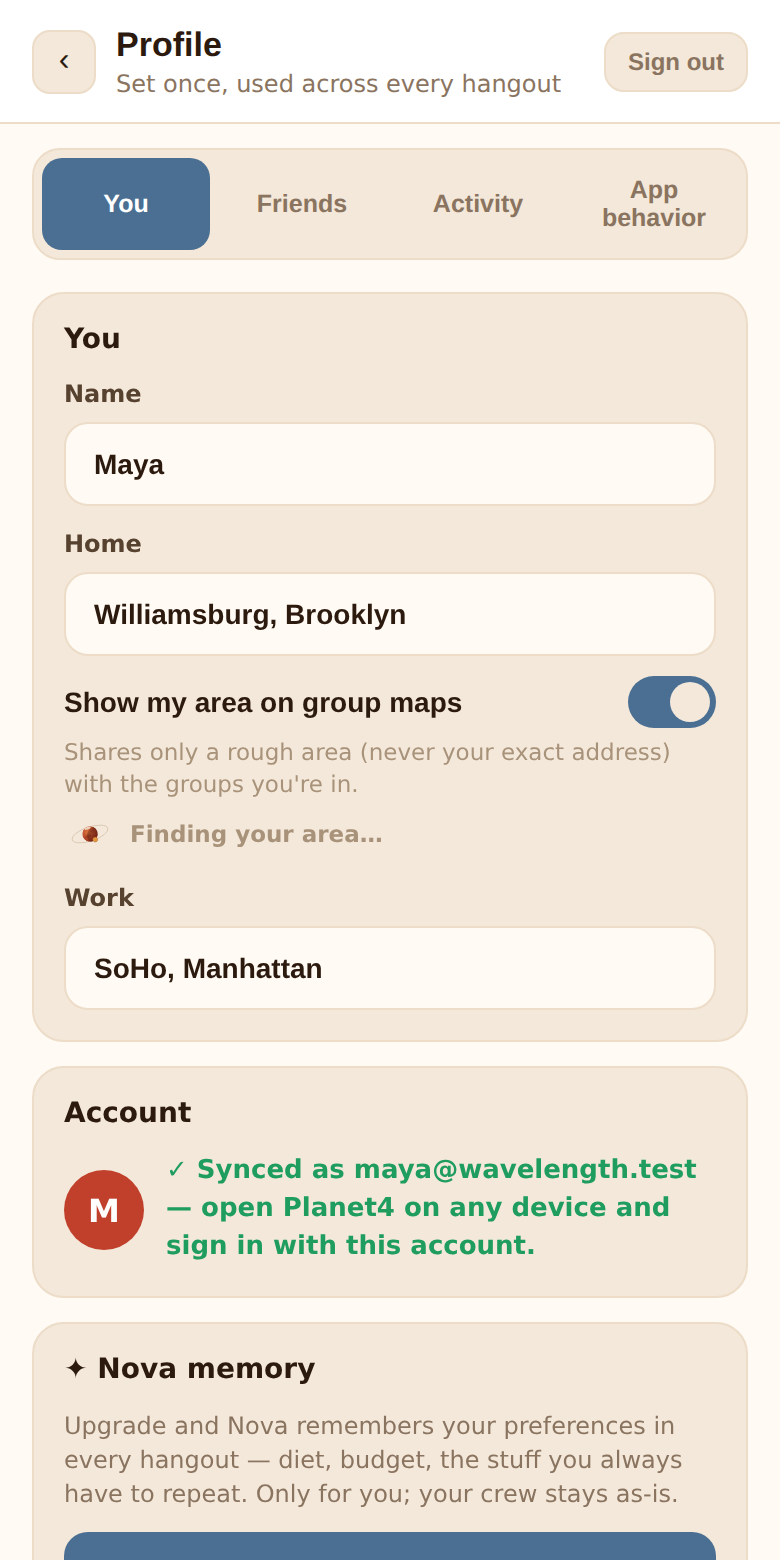
Name, home and area sharing
- Name — how the crew sees you. Changing it updates your name in every chat.
- Home — a neighborhood or address. Off by itself this does nothing outside your profile.
- Show my area on group maps — off by default. Turn it on and the app works out a rough area from your Home — about a 1 km square, labelled by neighborhood or city — and shares that with your hangouts. The line under the toggle confirms exactly what's shared: ✓ Sharing your area as "Williamsburg". It's drawn on the group map as a fuzzy Coming from circle, helps pick the crew's venue search area, and is passed to Nova at neighborhood level. Your exact address is never shared. Turn it off (or clear Home) and the area disappears from every hangout. More in Privacy.
- Work — optional, for your own reference. It isn't shared with groups.
Account
Your account starts as device-only. This card is where you make it durable:
- Continue with Google, or
- type your email and tap Email me a link to sync, then open the link on this device.
Once linked it reads ✓ Synced as you@email.com — open Planet4 on any device and sign in with this account. Your name and hangouts come with you. See Getting started.
✦ Nova memory
The per-person memory upgrade: Nova remembers your preferences across hangouts. ✦ Upgrade turns it on (a linked account is required); ACTIVE and Turn off show once it's on. Below, What Nova remembers about you lists every note with an ✕ to forget it, plus a field to add your own. Full details in Nova memory.
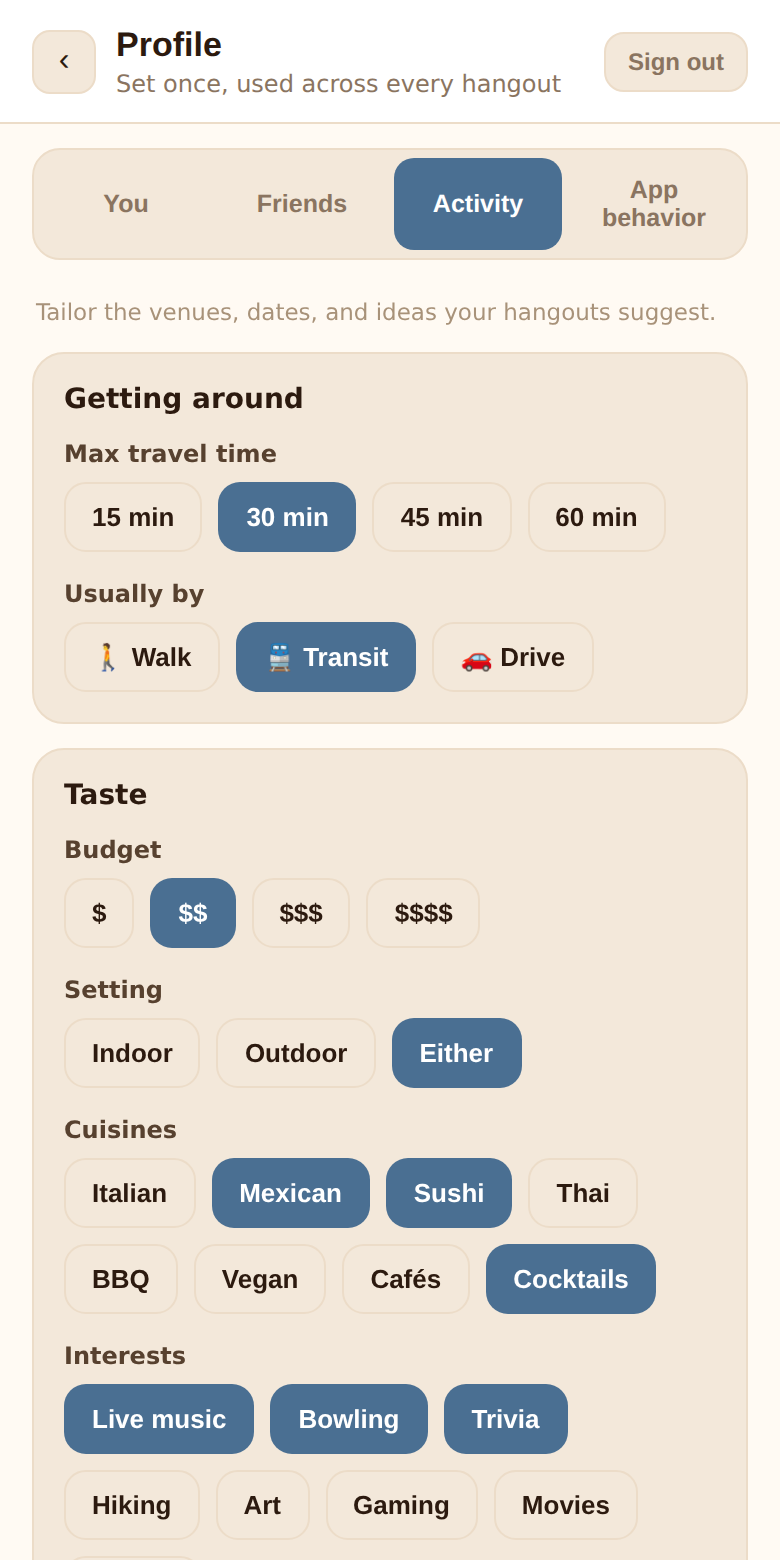
Activity
Tailor the venues, dates, and ideas your hangouts suggest.
Getting around
- Max travel time — 15, 30, 45 or 60 minutes (default 30). The crew's tightest limit shapes venue searches.
- Usually by — 🚶 Walk, 🚆 Transit, 🚗 Drive.
Taste
- Budget — $ to $$$$ (default $$).
- Setting — Indoor, Outdoor, Either.
- Cuisines — Italian, Mexican, Sushi, Thai, BBQ, Vegan, Cafés, Cocktails. Pick any number.
- Interests — Live music, Bowling, Trivia, Hiking, Art, Gaming, Movies, Sports. Pick any number.
Cuisines and interests power the ✦ Suggest button in venue widgets and give Nova a sense of what the crew likes. Everyone's picks are combined, most-shared first.
App behavior
How Planet4 notifies and reaches you.
- Notifications — Push notifications on this device, a per-device toggle, plus Send a test notification once it's on. On iPhone and iPad this only works from the app installed on your Home Screen. See Notifications.
- Email digest — Daily email of what's new: one email a day with what happened across your hangouts, with vote buttons you can use from your inbox. Needs a linked email. See The email digest.
- Reminders — A week before, A day before, Day of (all on by default).
Signing out
Sign out at the top of the screen ends your session on this device and unhooks it from push notifications, so the next person using this browser isn't buzzed about your hangouts. If your account is device-only and not linked to Google or an email, signing out means you can't get back into it — link first.